The Rebill API lets you create invoices, manage clients, and access your data programmatically. To authenticate API requests you need a secret API key, which you can find in Settings under API Access.
- 1
Go to Settings, then API Access
Click Settings in the left sidebar. In the settings navigation, click API Access under the Integrations group.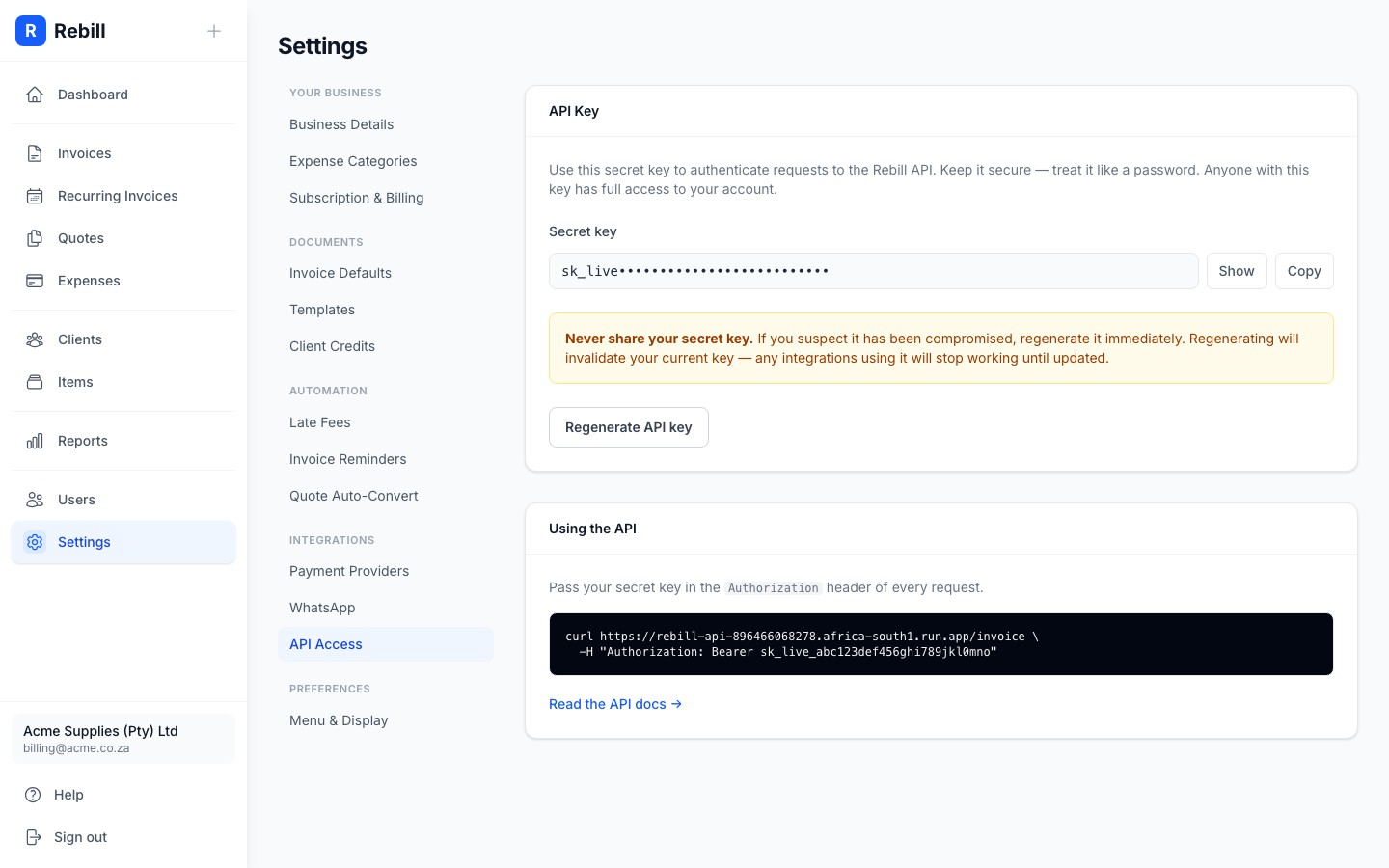
- 2
Copy your API key
Click Show to reveal your secret key, then click Copy to copy it to the clipboard. Use this key in theAuthorizationheader of every API request.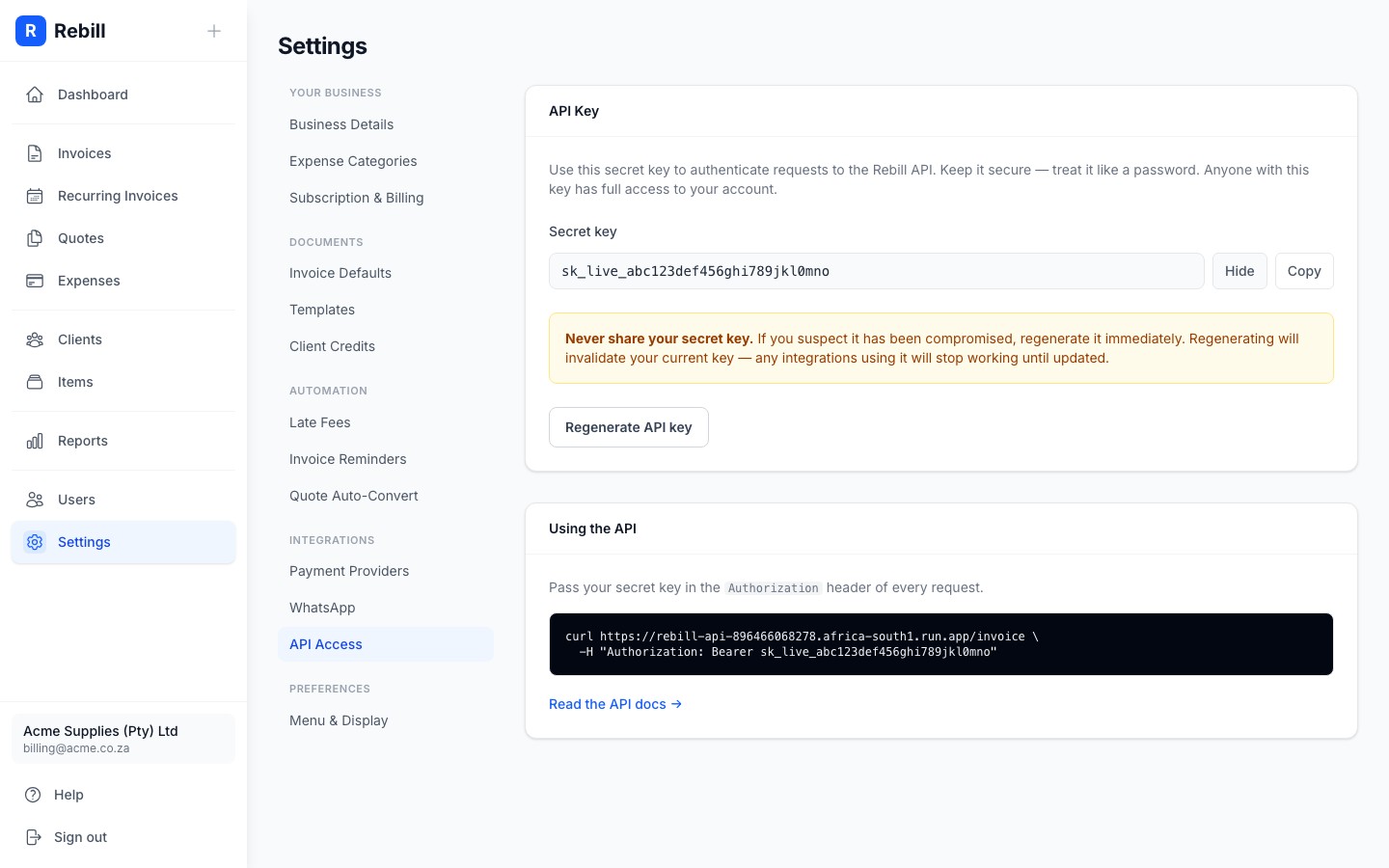
- 3
Make your first request
Pass the key in theAuthorization: Bearerheader:curl https://rebill-api-896466068278.africa-south1.run.app/invoice \ -H "Authorization: Bearer sk_your_secret_key"
See the API reference for all available endpoints.
Regenerating your key
If you believe your key has been compromised, click Regenerate API key in Settings under API Access. Your old key stops working immediately; update any integrations that use it before regenerating.
Keep your key secret
Never include your API key in client-side code, public repositories, or anywhere others could see it. Treat it like a password. Anyone with the key has full read and write access to your Rebill account.